

Image stitching is a technique used to merge multiple overlapping images into a single panoramic view. It’s commonly used in photography, virtual reality, surveillance, and mapping. The process involves aligning the overlapping parts of the images, adjusting for differences in perspective, exposure, and colour, and blending them seamlessly. This is done by identifying key features in each image and matching them together.
OpenCV, a popular computer vision library, provides tools for implementing image stitching. However, achieving great results depends on factors like image quality, overlap between images, accuracy of feature matching, and blending techniques.
How is image stitching done using OpenCV?
To stitch images using OpenCV, you import the necessary libraries and load the images. You can convert them to grayscale if needed. Then, you create a stitcher object and use it to stitch the images together automatically. Check if the stitching was successful and retrieve the stitched image. You can display or save the result. Adjusting parameters may be necessary for better stitching.
Prerequisites For Image Stitching Using Python OpenCV
You should have an understanding of the Python programming language, the OpenCV library and the following system requirements.
1. Python 3.7 (64-bit) and above
2. Any Python editor (VS code, Pycharm, etc.)
Download Python OpenCV Image Stitching Project
Please download the source code of Python OpenCV Image Stitching Project: Python OpenCV Image Stitching Project Code.
Installation
Open Windows cmd as administrator
1. To install the opencv library, run the command from the cmd.
pip install opencv-python
Let’s Implement It
To implement it, follow the below step.
1. First of all, we are importing all the necessary libraries that are required during implementation.
import cv2
import numpy as np`
2. Define the function named image_stitching().
def image_stitching(images):
3. It creates a tool called a “stitcher” using OpenCV’s cv2.Stitcher_create()
stitcher = cv2.Stitcher_create()
4. It performs the image stitching process and assigns the status and stitched image to the respective variables.
status, stitched_image = stitcher.stitch(images)
5. If the stitching process is successful, indicated by the status variable being equal to cv2.Stitcher_OK, the function returns the resulting stitched image. However, if the stitching process fails, it displays an error message stating that the image stitching has failed and returns nothing (None).
if status == cv2.Stitcher_OK:
       return stitched_image
   else:
       print("Image stitching failed!")
       return None
Note:- steps 3-5 must be written under the step 2nd function block.
6. Pass all the images path to which you want to stitch.
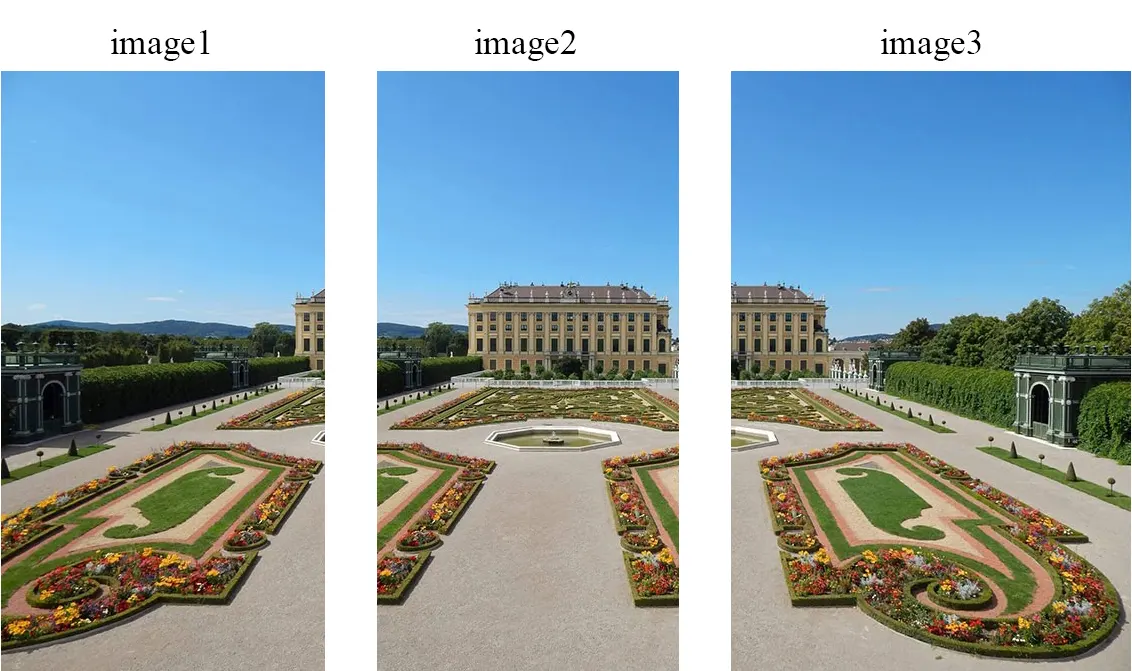
Unstitched_input_img= ["Image stitching using openCV\im1.jpg", "Image stitching using openCV\im2.jpg", "Image stitching using openCV\im3.jpg"]
7. It reads all the images from input_img list.
images = [cv2.imread(image) for image in input_img]
8. It calls the image_stitching() function that passes all the input images and assigns it to stiched_img.
stiched_img = image_stitching(images)
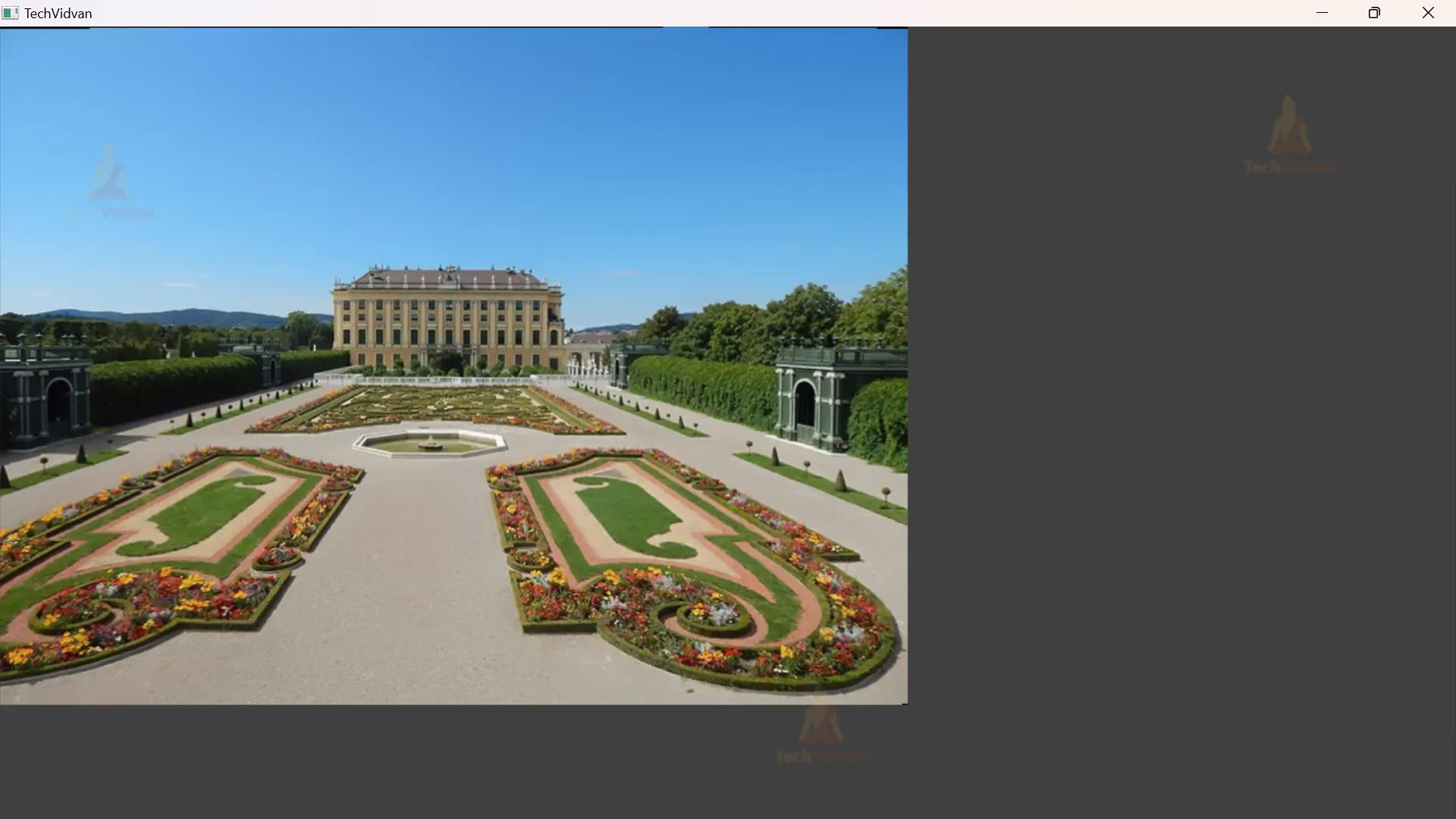
9. It checks if the stitched image is available. If it is, meaning the image stitching process was successful, it displays the stitched image. The displayed image will remain visible until a key is pressed. After closing the displayed image, any open windows are closed.
if stiched_img is not None:
    cv2.imshow("Stitched Image", stiched_img)
    cv2.waitKey(0)
    cv2.destroyAllWindows()
Python OpenCV Image Stitching Output
Images that l want to stitch
Stitched Image
Conclusion
Image stitching using OpenCV is a powerful technique to merge multiple overlapping images into a panoramic view. OpenCV’s stitcher module simplifies the process by automatically detecting features, aligning the images, and blending them seamlessly. With a few steps, we can achieve impressive results.
However, it may require fine-tuning and experimentation for optimal output. Image stitching using OpenCV has applications in photography, virtual reality, surveillance, and mapping, enabling us to capture and explore wider perspectives.