Are you prepared to maximize Microsoft Excel’s capabilities and develop into a data genius? Look nowhere else! Our Excel course is created to equip you with the skills you need to succeed in the spreadsheet and data analysis industries. This course is your ticket to success, whether you’re a beginner trying to lay a solid foundation or an experienced professional looking to hone your talents.
Excel Course Highlights
- 15+ hrs live expert-led course
- 40+ hrs of comprehensive study material
- 25+ hrs of real-world practicals
- 20+ Interactive quizzes & assessments
- 95+ Interview questions for top MNCs
- 75+ Real-time implementation
- 45+ Practical Examples
- 98% Positive reviews from learners
- 20+ Comprehensive assignments
- 30+ Real-time industry case-studies
- 75+ Excel tutorials
- 1:1 Career counselling with expert
- Practical knowledge which industry needs
- Industry-renowned certification
Numbers That Speak Our Success
Success Stories – They Believed, Learned & Achieved!













Our learners are working in leading organizations
Industry-renowned Certification

Need Personalized Guidance? Talk Directly to Your Instructor

Online Excel Free Training Course Curriculum
- Interface Introduction
- How to Navigate Sheets and Workbooks
- What is Ribbon
- How to Enter and Edit Data
- Basic Formatting in Excel: Fonts, Alignment, Number Formats
- Working with Cell Ranges and Selections
- How to Save, Share and Collaborate
- Formulas: Operators and Cell References
- Essential Functions in Excel: SUM, AVERAGE, COUNT
- Working with Dates and Times
- Logical Functions: IF, AND, OR
- Standard Text Functions: CONCATENATE, LEFT, RIGHT, MID
- Functions: MIN, MAX, MEDIAN
- Array Formulas
- Error Handling in Formulas
- ISNA and IFERROR Function in Excel
- Advanced Sheet Operations
- How to Jump Between Sheets
- How to Master Multiple Workbooks
- Hiding and Unhiding Rows and Columns
- Freezing Panes
- Splitting Screens
- Conditional Formatting: How to Highlight Data
- Create and Apply Cell Styles
- Work with Tables
- How to Sort and Filter Data
- Charts and Graphs: Create Beautiful Visualizations
- Customize Charts: Formatting and Design
- Sparklines: Visual Data in Cells
- Advanced Techniques: Sorting and Filtering Data
- Pivot Tables: Creating Interactive Reports
- Pivot Charts: Visualize Pivot Table Data
- What-If Analysis
- Data Tools in Excel
- Data Validation: Ensuring Data Integrity
- How to Import and Export Data (CSV, Excel, etc.)
- Lookup Functions in Excel: VLOOKUP, INDEX, MATCH, XLOOKUP
- Statistical Functions in Excel: COUNTIFS, SUMIFS, AVERAGEIFS, STDEVIFS
- Array Formulas in Excel: Working with Ranges of Data
- Financial Functions in Excel: PMT, NPV, IRR, FV, PV
- Advanced Text Functions in Excel: LEN, PROPER, TRIM, FIND, SEARCH
- Working with Dates and Times
- Advanced Logical Functions in Excel
- What is Power Query and Data Import
- How to Clean Data and Transform
- Adding Columns and Combining Data
- Power Query Automation and Web Scraping
- How to Load Data
- Power Pivot
- Excel Automation and Macros
- Start with the VBA Editor
- VBA Fundamentals: Variables, Data Types
- Objects in Excel: Ranges, Worksheets, and Workbooks
- Automating Tasks & User Interaction
- Debugging, Error Handling, & Macro Security
- Data Feature: Generating Insights and Visualizations
- Formula Suggestions, Data Patterns
- Extracting Data from Images
- Forecasting with Forecast Sheet
- Predicting Future Trends
- Keyboard Shortcuts
- Productivity Tips
- Optimize Performance for Large Datasets
- Planning and Designing Dashboards
- Slicers and Timelines for Interactive Filtering
- Creating Interactive Form Controls
Learn From Industry’s Best Instructors


Your Excel Journey Starts Here — Try before you Buy
Master Excel from Scratch
Join our hands-on Excel course crafted by industry veterans and build real-world skills. It’s not just a course, it’s a job-ready bootcamp.|
Start Anytime (self-paced) |
Duration 15+ Hrs |
Access Duration 3 Years |
Price |
Enroll Now |











Excel Course Objectives
Microsoft Excel is a widely used spreadsheet program used in many different businesses worldwide. An Excel course is a priceless resource for people wishing to improve their proficiency with it. These carefully crafted programs are made to accommodate students of all skill levels, from novices looking to understand the fundamentals to experts looking to master sophisticated data analysis and automation approaches.
Data input, formula generation, data visualization, and advanced functions are just a few topics typically covered in Excel classes. These courses give students the skills to expedite their work, make data-driven decisions, and open up new job prospects. Excel courses frequently combine video tutorials, practical exercises, quizzes, and real-world projects to reinforce concepts in a dynamic and interactive learning environment.
In-depth knowledge of Excel’s features will be provided to students, enabling them to design interactive dashboards, do complex data analysis, and create elaborate spreadsheets. A crucial advantage in the competitive job market is certification, which is often offered as a reward for completing a course and as a concrete indicator of one’s Excel proficiency. Whether a student, professional, or business owner, taking an Excel course will greatly improve your productivity, efficiency, and data handling abilities.
The main goal of an Excel course is to give learners a solid foundation in Excel’s basic features and functionalities. This ensures that participants can use Excel confidently by requiring skill in data entry, formatting, and formula usage. Additionally, the training intends to improve participants’ data analysis abilities, enabling them to develop insightful conclusions from unstructured data using pivot tables, charting, and data visualization.
It is also crucial to give trainees advanced Excel skills. They will gain knowledge of how to use sophisticated formulas and functions, automate processes with macros, and delve into cutting-edge data analysis and modeling methodologies. Because of their improved skills, participants are able to handle challenging real-world problems with effectiveness and efficiency.
To increase participants’ resourcefulness and productivity in their professional activities, the course also strives to encourage problem-solving abilities and promote best practices. The bottom line is that Excel training gives people a flexible skill set that can greatly improve their career chances and job performance across numerous industries. It renders personal and professional growth in the aspirant, resulting in fruitful results.
Why should you learn Excel?
We can’t stress enough the importance of learning Excel. The demand for Excel-skilled people is always at par, and it is one of the basic capabilities one is expected to have, especially in the IT sector. Here are some claimed facts on why one should learn Excel-
- “Data is the new oil.” – Clive Humby
- “Without big data, you are blind and deaf in the middle of a freeway.” – Geoffrey Moore
- “The world’s most valuable resource is no longer oil, but data.” – The Economist
- “Excel is the world’s most widely used business intelligence tool.” – The Forrester Group
- “Excel is like the Swiss Army knife of software.” – in Bill Jelen
What is Excel?
Microsoft Excel is a powerful and popular spreadsheet program created by Microsoft Corporation. It is a crucial component of the Microsoft Office package and is recognized for its versatility when it comes to data-related activities. Excel’s basic interface is grid-like, allowing users to arrange data into rows and columns to create a structured layout that resembles a digital ledger. This grid’s ability to support a variety of data types in each cell makes it a flexible tool for jobs ranging from straightforward data entry to intricate data analysis.
Excel is especially well-known for its powerful computational and mathematical abilities. Its powerful collection of mathematical functions and formulae allows users to execute a variety of calculations, from simple arithmetic operations to intricate statistical analyses. Due to its formula-driven methodology, calculations can be automated while still maintaining accuracy and consistency across enormous datasets.
Excel’s charting and graphing tools make it simple to visualize data, which helps with information interpretation and dissemination. Users may effectively turn raw data into insightful reports and analytics using tools like pivot tables and data validation. Excel’s versatility and user-friendly design make it an invaluable tool for both straightforward jobs and intricate data-driven projects, which helps explain why it continues to be widely used in businesses, educational settings, and research settings worldwide.
What to do before you begin?
Before starting this Excel course with us, we suggest some prerequisites. These suggestions are not mandatory to follow as our course covers everything one needs to learn about Excel. The below advice is mentioned to make this learning journey more efficient for you-
- A fundamental knowledge of file management and computer operations will be helpful.
- Microsoft Excel should be installed on your computer (any recent version will suffice).
- A dedication to practicing regularly as well as a desire to develop.
- Knowledge of the Windows or Mac operating systems is required.
- Access to online resources for course materials and updates on the Excel advancement.
Who should go for this Excel course?
Excel training is flexible and adaptable, appealing to a wide audience with various skills and interests. It is an important set of talents that people can use to advance in their daily lives and careers. A variety of people can benefit from and find relevance in Excel training, including:
- IT Students and Graduates
- Business Professionals
- Researchers
- Aspiring Administrative Professionals
- Data Enthusiasts
- Job Seekers
- Aspiring Entrepreneurs
By enrolling in our Excel course, you can expect the following benefits:
Participants in Excel training receive a complex learning experience encompassing a wide range of abilities and information. They will learn the fundamentals of Excel, including its user interface and navigation, data entry and formatting, and the use of simple formulas. They will become adept at structuring and constructing spreadsheets, which will enable them to handle data effectively and carry out simple computations. Advanced Excel ideas are built on top of this fundamental understanding.
As they advance, learners will explore Excel’s more advanced features. They will be taught how to use sophisticated formulas and functions like VLOOKUP, SUMIF, and INDEX-MATCH to analyse complex data and automate calculations. Participants can conclude huge datasets using pivot tables, a potent tool for summarizing and displaying data. To ensure that participants can successfully prepare data for analysis, data cleaning and transformation techniques using tools like Power Query will also be addressed.
Additionally, participants in Excel training will learn how to create dynamic charts and graphs to present data visually appealingly. This instruction is often included in Excel training. They will learn how to create interactive dashboards to improve their capacity to share information effectively. Participants will be given the tools to take on challenging real-world situations by learning about advanced topics including scenario analysis, goal seeking, and financial modeling.
Excel is a data management tool that is widely and worldwide used on a regular basis. Learning through this Excel training will benefit you both personally and professionally. It will provide you with the ability to function with the data according to your needs and obtain quick solutions. Data is the new oil, as they say, and managing it is a job that is high in demand.
Below are the major benefits of this training-
- Excel competency is a highly sought-after talent, and training can lead to work prospects in various industries.
- Mastering Excel accelerates data-related tasks, allowing you to work faster and more effectively daily.
- Excel classes teach you how to analyze and evaluate data successfully, a skill essential for making wise decisions in various professions.
- Through hands-on exercises, you’ll build advanced problem-solving abilities that will prepare you to handle challenging data problems.
- Excel training gives you the skills and tools to increase your productivity, enabling you to do more tasks in less time.
- You’ll discover how to produce eye-catching graphs and charts that graphically communicate insights to support reporting and decision-making.
- Your proficiency with Excel distinguishes you from other job candidates and presents you as a valued addition to clients and companies.
- Excel abilities are adaptable to various professions and industries, offering you flexibility in your professional path and the capacity to meet the demands of varied jobs.
Jobs after Learning this Excel Course
The opportunity to work in various industries is made available by learning Excel. After finishing an Excel course, you can pursue the following common jobs and professional paths:
- Data Analyst
Your job as a data analyst entails using Excel to clean, process, and analyze big databases. To assist enterprises in making educated decisions, detecting patterns, and optimizing business strategies, you’ll develop pivot tables, charts, and graphs to extract useful insights from data.
- Financial Analyst
Excel is a vital tool for financial analysts in forecasting, budgeting, and financial modeling. You’ll employ intricate formulas and functions to evaluate investment opportunities, risk analyses, and produce financial reports.
- Project Manager
Excel is a crucial tool for project managers to develop project plans, monitor progress, distribute resources, and manage budgets. You’ll utilize it to execute activities like creating Gantt charts, risk analysis, and resource allocation, ensuring that projects in various industries, including construction, IT, and marketing, are finished successfully, on schedule, and under budget.
- HR Specialist
Human resources personnel utilize Excel to manage payroll, track attendance, and maintain employee records. Excel is a key tool in HR management because it also facilitates the analysis of workforce data by HR experts to spot patterns, evaluate employee performance, and speed up hiring procedures.
- Marketing Analyst
Marketing analysts use Excel to review marketing efforts, segment customer data, and determine return on investment (ROI). To help organizations optimize their marketing strategies and budgets, you’ll use Excel to generate reports, build marketing dashboards, and track crucial data like click-through and conversion rates.
- Sales Analyst
Sales analysts use Excel to track sales data, spot trends, and create sales projections. It is one of the sales department’s basic foundational tools.
- Administrative Assistant
Excel is a tool that is frequently used by administrative professionals for data entry, scheduling management, and report creation.
- Entrepreneur/ Business Owner
According to entrepreneurs and small business owners, Excel can be a useful tool for handling money, inventory, and other facets of a small business.
- Teacher/Educator
Educators can use Excel for grading, lesson preparation, and data analysis in educational settings. This helps them store data efficiently and perform future guidance uniformly.
- Supply Chain Analyst
According to supply chain analysts, supply chain management experts use Excel for inventory management, demand forecasting, and logistics planning. It helps them keep track of their products and services.
- Data Entry Specialist
Data entry specialists use Excel to ensure data is entered and validated accurately. This occupation is widely in demand and every firm or organization depends on it for data management.
Features of Excel Course
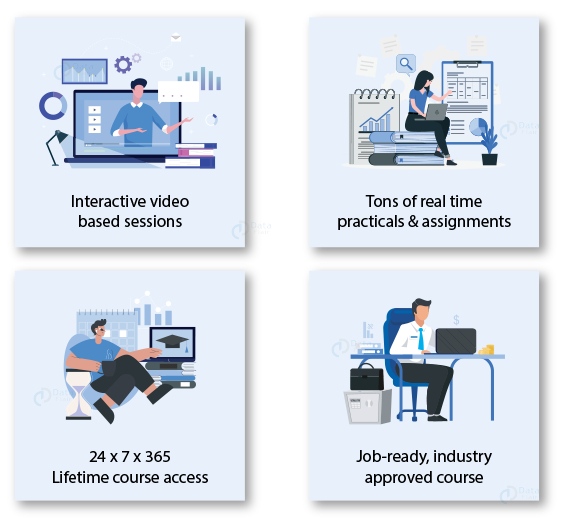
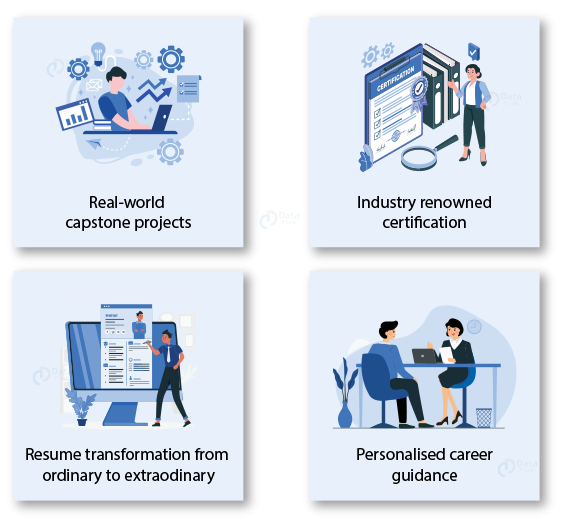
Looking for Industry Expert Counselling?
We are a team of trainers who have 20+ years of Industry Experience. They provide project based training and cover real time scenarios during the interactive training sessions.
Contact our Industry Experts & get answers to all your queries.
Excel Online Training FAQs
The duration of the course might vary depending on the complexity of the material and the student’s rate of learning, but with TechVidvan, the student can complete the course in his/her own time and comfort.
No prior knowledge is necessary because the course frequently begins with fundamental ideas and progressively moves on to more complex ones, thoroughly.
Yes, the course is made to work with both the Windows and macOS versions of Excel, with instructions specific to each platform.
By the end of our Excel course, you will receive a certificate of completion, which can be a useful addition to your CV and professional profile.
While no particular prerequisites are required, a basic understanding of Windows or macOS and basic computer abilities can be useful.
Enrollment is through our website. We offer flexible payment plans to make the course accessible to everyone.
To gauge your understanding and progress, our courses incorporate quizzes or assignments.
TechVidvan’s Excel course is self-paced. This concept ensures that everyone can learn from our course in their own time and comfort, without any conditions.
Our courses give you access to instructors or support personnel who are available to answer your questions and help you with any problems you may have.
The knowledge you gain in the course can be used in various careers, from project management and reporting to finance and data analysis, improving your job performance and career possibilities.