
Java String equalsIgnoreCase() Method
Strings in Java are capable of performing a wide range of operations. The Strings are widely used to perform operations like comparison, access, substitution, search and removal. As strings are an object, comparing them differs from comparing the values for other basic data types.
In order for relational operations to run, String Objects must have specific functions. There are many ways of comparing the strings on Java. The method for checking whether two strings are equal to each other by not looking at their cases will be discussed in this article.
Definition
The method is to compare that String with another string, ignoring the case considerations. If the two strings are of the same length and correspond to each other in a given character, they shall be regarded as an equal disregard case.
Parameter Values
| Parameter | Description |
| anotherString | A string, which represents a second string to be compared |
Technical Details
Returns a boolean value: True if the strings are identical and ignore case differences False if the string isn’t equal.
How to use equalsIgnoreCase in Java?
Example 1: Java String equalsIgnoreCase()
- If you take no account of the differences in cases, str1 and str2 are equal. Hence, str1. equalsIgnoreCase(str2) returns true.
- It is not the same between str1 and str3. Hence, str1. equalsIgnorecase.str3 and str3. equalsIgnoreCase(str1) returns false.
Syntax:
The syntax of this method is shown here.
public boolean equalsIgnoreCase(String otherString)
Parameters:
Details of the parameters are given here.
anotherString – A string that compares this string to it.
Return value:
If the argument is not null and the strings are case insensitive or otherwise false, this method returns true.
Example:
public class Techvidvan{
   public static void main(String args[]) {
      String Str1 = new String("This is really not immutable!!");
      String Str2 = Str1;
      String Str3 = new String("This is really not immutable!!");
      String Str4 = new String("This IS REALLY NOT IMMUTABLE!!");
      boolean retVal;
      retVal = Str1.equals( Str2 );
      System.out.println("Returned Value = " + retVal );
      retVal = Str1.equals( Str3 );
      System.out.println("Returned Value = " + retVal );
      retVal = Str1.equalsIgnoreCase( Str4 );
      System.out.println("Returned Value = " + retVal );
   }
}
Output:
Returned Value = true
Returned Value = true
Returned Value = true
Difference between equals() vs equalsIgnoreCase() in Java:
Check whether a pair of strings are equal by using the equals() function in Java. In Java, to check for an equal representation of two strings that ignore a case, use equalsIgnoreCase().
So, let me give you two strings
- String one =”qwerty”;
- String two = “Qwerty”;
The two of them are identical, but the case is different. When the method excludes a case, it would consider both of these strings to be equivalent by means of equalsIgnoreCase().
Example:
public class Techvidvan{
    public static void main(String[] args) {
       String one = "qwerty";
       String two = "Qwerty";
       if(one.equalsIgnoreCase(two)) {
          System.out.println("String one is equal to two (ignoring the case) i.e. one==two");
       }
else{
          System.out.println("String one is not equal to String two (ignoring the case) i.e. one!=two");
       }
       if(one.equals(two)) {
          System.out.println("String one is equal to two i.e. one==two");
       }
else{
          System.out.println("String one is not equal to String two i.e. one!=two");
       }
    }
}
Use of equalsIgnoreCase():
class EqualIgnore{
    public static void main(String[] args)
    {
        String str1 = "HellO WORld";
        String str2 = "hello world";
        String str3 = "HELLO WORLD";
        String str4 = "hello";
        Boolean techvidvan;
        techvidvan = str1.equalsIgnoreCase(str2);
        System.out.println(techvidvan);
        techvidvan = str1.equalsIgnoreCase(str3);
        System.out.println(techvidvan);
        techvidvan= str2.equalsIgnoreCase(str4);
        System.out.println(techvidvan);
    }
}
Output:
true
true
false
Explanation:
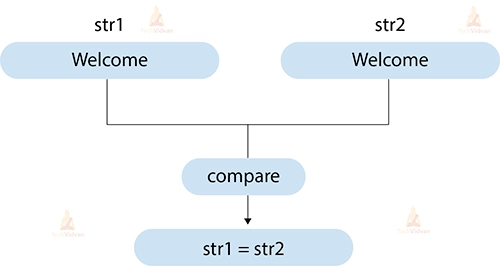
The code shown above defines four different strings – str1, str2, str3 and str4. Comparing str1, str2 and str3 with the equaleIgnoreCase() method returns true as they read the same word after ignoring the case of the individual letters.
The fourth string is entirely different from the other three strings as it lacks a few characters; hence, the use of equalsIgnoreCase on str4 and any of the three other strings results in a false.
Exceptions from Java equalsIgnoreCase():
Let’s look at the code snippet (string1.equalsIgnoreCase(string2)) to understand the exceptions. The following cases may occur:
- If the input string i.e. string2 is null, the method will return false, it will not throw any exceptions.
- If string1 is null, the method throws an exception i.e. NullPointerException.
Internal implementation:
public boolean equalsIgnoreCase(String anotherString) {
       return (this == anotherString) ? true
               : (anotherString != null)
               && (anotherString.value.length == value.length)
               && regionMatches(true, 0, anotherString, 0, value.length);
   }
Looking at the implementation, it is obvious that the equalsIgnoreCase() method calls the regionMatches() method. This causes the equalsIgnoreCase() method to be case insensitive. The regionMatches() method signature is shown below.
public boolean regionMatches(boolean ignoreCase, int toffset, String other, int ooffset, int len)
The regionMatches() method parses five parameters. The first ignoreCase parameter is set to true in the above implementation. So when the method is called, it checks whether the ignoreCase flag is true or not. If so, then one character each from both strings is taken and compared.
If the comparison returns false, then both characters are converted to uppercase and then checked to see if the comparison still returns false, then both characters are converted to lowercase and then compared. If the comparison returns a true value, then both strings have the same content; otherwise not.
Conclusion
In this article, we have extensively discussed the equalsIgnoreCase() function in Java. We briefly discussed the use of the equalsIgnoreCase() method and then moved on to see how using this method can help reduce a significant amount of code in a program.