
Logging in Python
Logging is a powerful tool in any programming language, and Python is no exception. It allows you to record important events that occur in your programs, such as exceptions or messages, and save them to a log file or output them to the console. This can be especially useful when debugging or when you want to keep track of the progress of your program.
How to use Logging in Python:
To use it in Python, you first need to import the module. Then, you can use the basic config function to set up the default logging configuration. This function takes several optional arguments, such as the log level, the log format, and the log file name.
Here is an example of how to set it up in Python:
import logging

logging.basicConfig(level=logging.DEBUG, format='%(asctime)s - %(levelname)s - %(TechVidvan)s')
Once the configuration is set up, you can use the various functions to log messages at different levels of severity. The most commonly used functions are debugging, info, warning, error, and critical.
Here is an example of how to log messages at different levels:
import logging

logging.debug('This is a debug message')
logging.info('This is an info message')
logging.warning('This is a warning message')
logging.error('This is an error message')
logging.critical('This is a critical message')
You can also use logging.exception function to log an exception, along with a traceback, to the log. We can use it for debugging and troubleshooting.
Here is an example of how to log an exception:
import logging

try:
    # Some code that may raise an exception
except for Exception as e:
    logging.exception('An error occurred: %s', e)
In addition to logging messages to the console or a log file, you can also configure it to send messages to other destinations, such as email or a database. This can be especially useful for monitoring and alerting purposes.
To send log messages to destinations other than the console or a log file, you can use the logging.handlers module in Python. This module provides various handler classes that you can use to send log messages to different destinations.
For example, to send log messages to an email address, you can use the SMTPHandler class. This class sends log messages to an SMTP server, which can then forward the messages to an email address.
To use the SMTPHandler class, you will need to import it from the logging.handlers module and create an instance of the class, passing in the necessary arguments such as the SMTP server details and the email address to which the messages should be sent.
Here is an example of how to send log messages to an email address using the SMTPHandler class:
import logging
from logging.handlers import SMTPHandler

# Set up the SMTP handler
smtp_handler = SMTPHandler(
    mailhost='smtp.example.com',
    fromaddr='[email protected]',
    toaddrs=['[email protected]'],
    subject='Application Log'
)

# Set the log level for the handler
smtp_handler.setLevel(logging.ERROR)

# Add the handler to the logger
logger = logging.getLogger('my_logger')
logger.addHandler(smtp_handler)

# Log a message
logger.error('This is an error message’)
To send log messages to a database, you can use the DatabaseHandler class, which writes log records to a database table. This class is not a part of the Python standard library, but you can use third-party libraries such as Logbook or LoggingDB to achieve this.
Various logging functions in Python
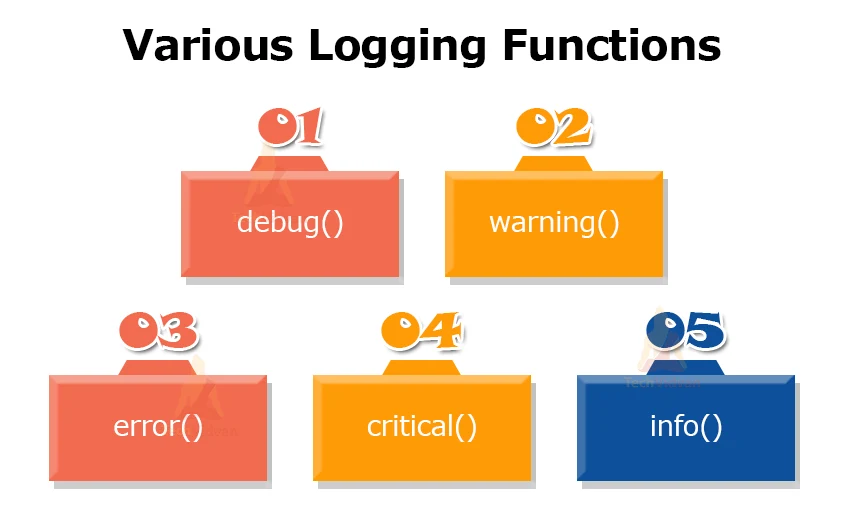
1. debug() in Python
Python’s logging module includes a function called debug() that is used to log messages with the DEBUG severity level. It is typically used to record detailed information that is useful for debugging the program.
Here is an illustration of how to utilize the Python script debug() function:
import logging

# Configure the logging system
logging.basicConfig(level=logging.DEBUG, format='%(asctime)s - %(levelname)s - %(TechVidvan)s')

# Log a debug message
logging.debug('This is a debug message.')
In this example, we set the level to logging.DEBUG, which means that all log messages with a level of DEBUG or higher will be logged. The format argument specifies the type of format of the log messages including the timestamp, the log level, and the log message itself.
It’s important to note that the debug() function will only log messages if the level is set to logging.DEBUG or higher. If it is set to a lower value (e.g., logging.INFO or logging.WARNING), the debug() function will not log any messages.
2. warning() in Python
The warning() function is a part of the module in Python and is used to log messages with a severity level of WARNING. It is typically used to record messages that indicate a potential problem that needs to be addressed.
Here is an illustration of how to employ the Python script’s warning() function:
import logging
# Configure the logging system
logging.basicConfig(level=logging.WARNING, format='%(asctime)s - %(levelname)s - %(TechVidvan)s')

# Log a warning message
logging.warning('This is a warning message.')
In this example, we set the level to logging.WARNING, which means that all log messages with a level of WARNING or higher will be logged. The format argument specifies the type of format of the log messages including the timestamp, the log level, and the log message itself.
It’s important to note that the warning() function will only log messages if the level is set to logging.WARNING or higher. If the level is set to a lower value (e.g., logging.INFO or logging.DEBUG), the warning() function will not log any messages.
3. info() in Python
The info() function is a part of the module in Python and is used to log messages with a severity level of INFO. It mostly serves to keep track of general program execution data.
Here is a sample Python script that uses the info() method:
import logging

# Configure the logging system
logging.basicConfig(level=logging.INFO, format='%(asctime)s - %(levelname)s - %(TechVidvan)s')

# Log an info message
logging.info('This is an info message.')
In this example, we set the level to logging.INFO, which means that all log messages with a level of INFO or higher will be logged. The format argument specifies the type of format of the log messages including the timestamp, the log level, and the log message itself.
It’s important to note that the info() function will only log messages if the level is set to logging.INFO or higher. If the level is set to a lower value (e.g., logging.DEBUG or logging.WARNING), the info() function will not log any messages.
4. error() in Python
The error() function is a part of the module in Python and is used to log messages with a severity level of ERROR. It is typically used to record messages that indicate a problem that needs to be addressed.
Here is an illustration of how to employ the Python script’s error() function:
import logging

# Configure the logging system
logging.basicConfig(level=logging.ERROR, format='%(asctime)s - %(levelname)s - %(TechVidvan)s')

# Log an error message
logging.error('This is an error message.')
5. critical() in Python
The critical() function is a part of the module in Python and is used to log on to messages with a CRITICAL severity level. It is typically used to record messages that indicate a critical problem that needs to be addressed immediately.
Here is an illustration of how to use the Python script’s crucial() function.:
import logging

# Configure the logging system
logging.basicConfig(level=logging.CRITICAL, format='%(asctime)s - %(levelname)s - %(TechVidvan)s')

# Log a critical message
logging.critical('This is a critical message.')
In this example, we set the level to logging.CRITICAL, which means that all log messages with a level of CRITICAL or higher will be logged. The format argument specifies the type of format of the log messages including the timestamp, the log level, and the log message itself.
It’s important to note that the critical() function will only log messages if the level is set to logging.CRITICAL or higher. If the level is set to a lower value (e.g., logging.ERROR or logging.WARNING), the critical() function will not log any messages.
Conclusion:
In this TechVidvan article, we have learned that the logging module in Python provides a flexible and powerful way to track events and record log messages in your code. It is an essential tool for debugging, monitoring, and understanding what’s happening in your program.