
Create a Discussion Forum in Python Django
The Discussion Forum is a web-based application developed using Django. It aims to facilitate online discussions by allowing users to create, view, and comment on posts. This system provides a platform for users to engage in meaningful conversations on various topics.
About Python Django Discussion Forum
The Discussion Forum is designed to streamline the process of online discussions. It includes features like user registration, post creation, comment submission, and administrative controls for managing posts and comments. The application ensures robust security, scalability, and ease of maintenance.
Objectives of Python Django Discussion Forum
- Develop a user-friendly interface for users and administrators.
- Implement CRUD functionality for posts and comments.
- Facilitate real-time engagement by allowing users to comment on posts.
- Ensure data security and privacy.
Project Setup
Required Libraries
The project requires the following Python libraries:
Django: For a web framework and ORM.
SQLite: For database management.
Bootstrap: For responsive design and styling.
Technology Stack
- Python
- Django
- SQLite (default database)
- HTML/CSS
- JavaScript
- Bootstrap
Prerequisites for Python Django Discussion Forum
- Basic understanding of Python programming.
- Familiarity with the Django framework.
- Knowledge of HTML/CSS for template design.
Download the Python Django Discussion Forum Project
Please download the source code of the Python Django Discussion Forum Project: Python Django Discussion Forum Project Code.
Step-by-Step Code Implementation of Python Django Discussion Forum
1. Project Initialization
- The first command initializes a new Django project named discussion_forum.
- The second command changes the directory to the project folder.
- The third command initializes a new Django app named forum in the same directory. It sets up the basic structure for the project.
django-admin startproject discussion_forum
cd discussion_forum
python manage.py startapp forum
2. Setting Up Models
- The Post model represents a blog post with fields for name, body, and created_at. The Meta class specifies the database table name as ‘post’.
- The created_at field stores the date and time when the post was created. It is automatically set when a new post is added due to auto_now_add=True.
- The Comment model represents comments on a post with fields for post reference, author, text, created_date, and approved status. The approve method marks the comment as approved and saves it, while __str__ returns the comment text..
from django.db import models
from django.utils import timezone


class Post(models.Model):
   class Meta:
       db_table = 'post'

   name = models.CharField('Name', blank=False, null=False, max_length=14, db_index=True)
   body = models.CharField('Body', blank=False, null=False, max_length=140, db_index=True)
   created_at = models.DateTimeField('Created DateTime', blank=False, auto_now_add=True)

   def __str__(self):
       return self.name


class Comment(models.Model):
   post = models.ForeignKey(Post, related_name='comments', on_delete=models.CASCADE)
   author = models.CharField(max_length=200)
   text = models.TextField()
   created_date = models.DateTimeField(default=timezone.now)
   approved_comment = models.BooleanField(default=False)


   def approve(self):
       self.approved_comment = True
       self.save()


   def __str__(self):
       return self.text
3. Making Migrations
- makemigrations: Makes migrations based on the changes detected in the models. Migrations are how Django stores changes to the models.
- migrate: This command applies the migrations to the database, creating the tables and columns.
python3 manage.py makemigrations forum
python3 manage.py migrate
4. Defining Views
- The post_list view retrieves all posts ordered by creation date. It renders a post_list.html template with a list of posts.
- The post_detail view retrieves a specific post and its comments. If a POST request is made, it processes the comment form and saves a new comment.
- The new_post view handles the creation of new posts. It processes the post form and saves a new post if the form is valid.
- The post_edit view allows editing of an existing post. It retrieves the post, processes the edit form, and saves changes if the form is valid.
from django.shortcuts import render, get_object_or_404, redirect
from django.contrib.auth.decorators import login_required
from .models import Post, View
from .forms import ViewForm
from .forms import PostForm, CommentForm


@login_required
def post_list(request):
   posts = Post.objects.all().order_by('-created_at')
   return render(request, 'forum/post_list.html', {'posts': posts})


@login_required
def post_detail(request, post_id):
   post = get_object_or_404(Post, pk=post_id)
   views = View.objects.filter(post=post)

   if request.method == 'POST':
       form = ViewForm(request.POST)
       if form.is_valid():
           view = form.save(commit=False)
           view.post = post
           view.author = request.user
           view.save()
           return redirect('post_detail', post_id=post_id)
   else:
       form = ViewForm()


   return render(request, 'forum/post_detail.html', {'post': post, 'views': views, 'form': form})


@login_required
def new_post(request):
   if request.method == 'POST':
       form = PostForm(request.POST)
       if form.is_valid():
           form.save()
           return redirect('post_list')
   else:
       form = PostForm()
   return render(request, 'forum/new_post.html', {'form': form})


@login_required
def post_edit(request, pk):
   post = get_object_or_404(Post, pk=pk)
   if request.method == "POST":
       form = PostForm(request.POST, instance=post)
       if form.is_valid():
           post = form.save(commit=False)
           post.author = request.user
           post.save()
           return redirect('post_detail', pk=post.pk)
   else:
       form = PostForm(instance=post)
   return render(request, 'forum/post_edit.html', {'form': form})
5. Setting URLs
- The URL pattern for the post list view maps the root URL (”) to the post_list view.
- For the post detail view, it maps URLs like post/<int:post_id>/ to the post_detail view. The post_id parameter is passed for referencing.
- To create a new post, use the URL post/new/for the new_post view.
- The URL patterns for login and logout use Django’s built-in authentication views.
- The URL pattern for editing a post maps URLs like post/<int:pk>/edit/ to the post_edit view.
from django.urls import path
from . import views
from django.contrib.auth import views as auth_views


urlpatterns = [
   path('', views.post_list, name='post_list'),
   path('post/<int:post_id>/', views.post_detail, name='post_detail'),
   path('post/new/', views.new_post, name='new_post'),
   path('accounts/login/', auth_views.LoginView.as_view(template_name='registration/login.html'), name='login'),
   path('accounts/logout/', auth_views.LogoutView.as_view(), name='logout'),
   path('post/<int:pk>/edit/', views.post_edit, name='post_edit'),
]`
6. Creating Templates
base.html:-
- The <title> tag uses a Django block tag to allow each page to set its own title. The default title is “Discussion Forum,” which is overridden in child templates.
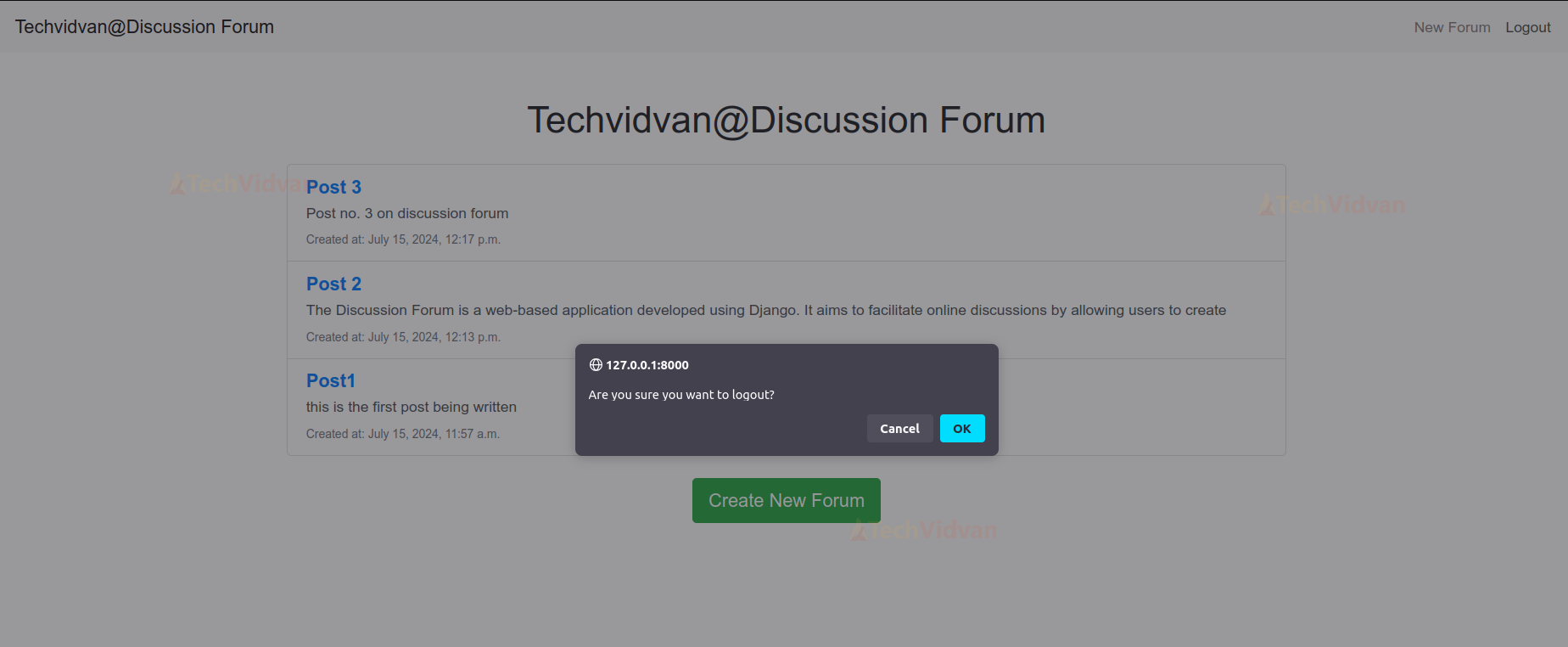
- The confirmLogout JavaScript function prompts the user for confirmation before logging out.
- The navigation bar contains links for “New Post” and “Logout” if the user is authenticated. It shows a “Login” link if the user is not authenticated, using Django template tags.
- The navbar uses Bootstrap classes for styling, providing a responsive layout. The container div is used to render the main content of each page, defined in child templates.
<!DOCTYPE html>
<html>
<head>
   <title>{% block title %}TechVidvan@Discussion Forum{% endblock %}</title>
   <link rel="stylesheet" href="https://stackpath.bootstrapcdn.com/bootstrap/4.3.1/css/bootstrap.min.css">
   {% load static %}
   <script>
       function confirmLogout() {
           if (confirm("Are you sure you want to logout?")) {
               window.location.href = "{% url 'logout' %}";
           } else {
               return false;
           }
       }
   </script>
</head>
<body>
   <nav class="navbar navbar-expand-lg navbar-light bg-light">
       <a class="navbar-brand" href="{% url 'post_list' %}">Techvidvan@Discussion Forum</a>
       <div class="collapse navbar-collapse" id="navbarNav">
           <ul class="navbar-nav ml-auto">
               {% if user.is_authenticated %}
                   <li class="nav-item">
                       <a class="nav-link" href="{% url 'new_post' %}">New Forum</a>
                   </li>
                   <li class="nav-item">
                       <a class="nav-link" href="#" onclick="return confirmLogout();">Logout</a>
                   </li>
               {% else %}
                   <li class="nav-item">
                       <a class="navlink" href="{% url 'login' %}">Login</a>
                   </li>
               {% endif %}
           </ul>
       </div>
   </nav>
   <div class="container">
       {% block content %}{% endblock %}
   </div>
</body>
</html>
post_list.html:-
- This template extends the base.html layout, taking its structure. The content block defines the display of forum-specific content.
- The if posts block checks if there are any posts to display. If posts exist, they are rendered as a list.
- The “for” loop in the posts loop iterates over each post and renders its details. Each post is displayed with a link.
- A New Post button is provided at the end of the content block. This button links to the new post creation page.
{% extends 'forum/base.html' %}


{% block content %}
 <div class="container mt-5">
   <h1 class="mb-4 text-center">Techvidvan@Discussion Forum</h1>


   {% if posts %}
     <div class="list-group">
       {% for post in posts %}
         <a href="{% url 'post_detail' post_id=post.id %}" class="list-group-item list-group-item-action">
           <h5 class="mb-1 text-primary font-weight-bold">{{ post.name }}</h5>
           <p class="mb-1">{{ post.body|slice:":150" }}{% if post.body|length > 150 %}...{% endif %}</p>
           <small class="text-muted">Created at: {{ post.created_at }}</small>
         </a>
       {% endfor %}
     </div>
   {% else %}
     <div class="alert alert-info" role="alert">
       No posts available.
     </div>
   {% endif %}


   <div class="text-center mt-4">
     <a href="{% url 'new_post' %}" class="btn btn-success btn-lg">Create New Forum</a>
   </div>
 </div>
{% endblock %}
post_detail.html:-
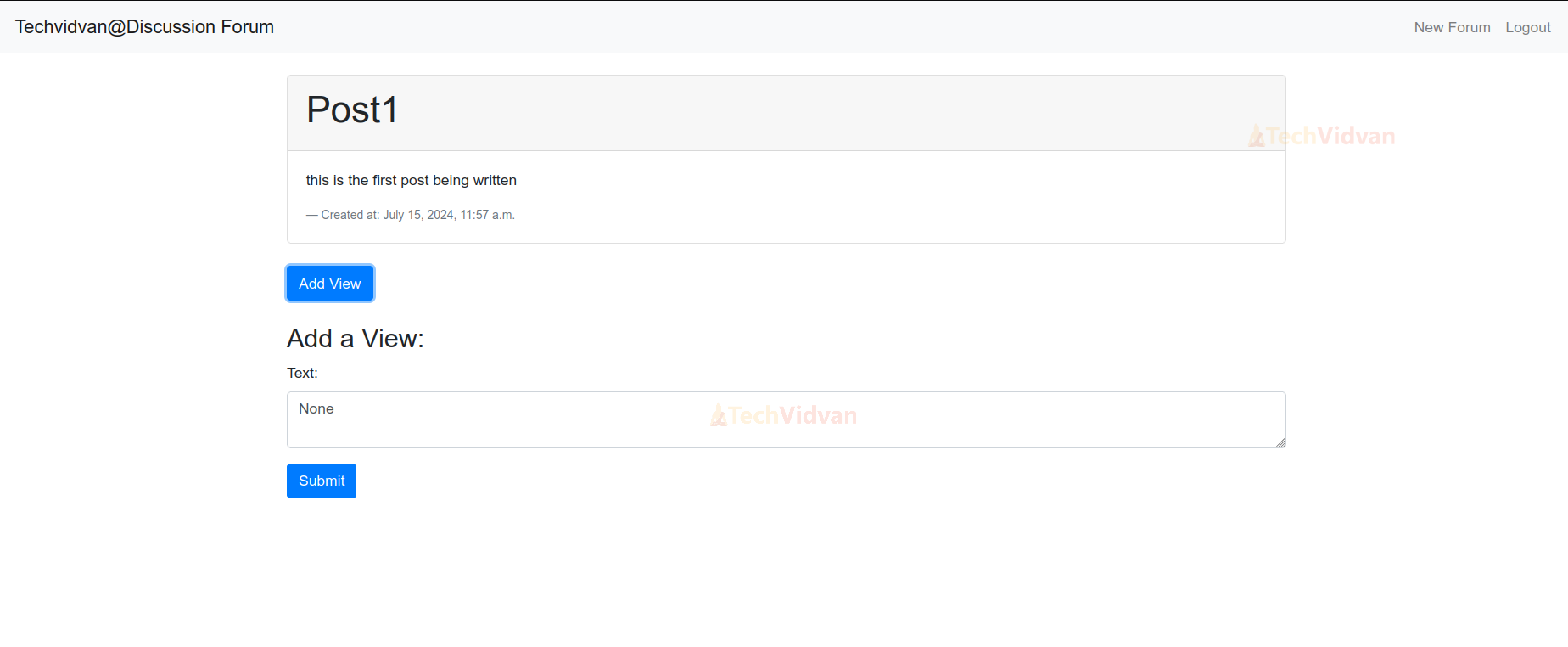
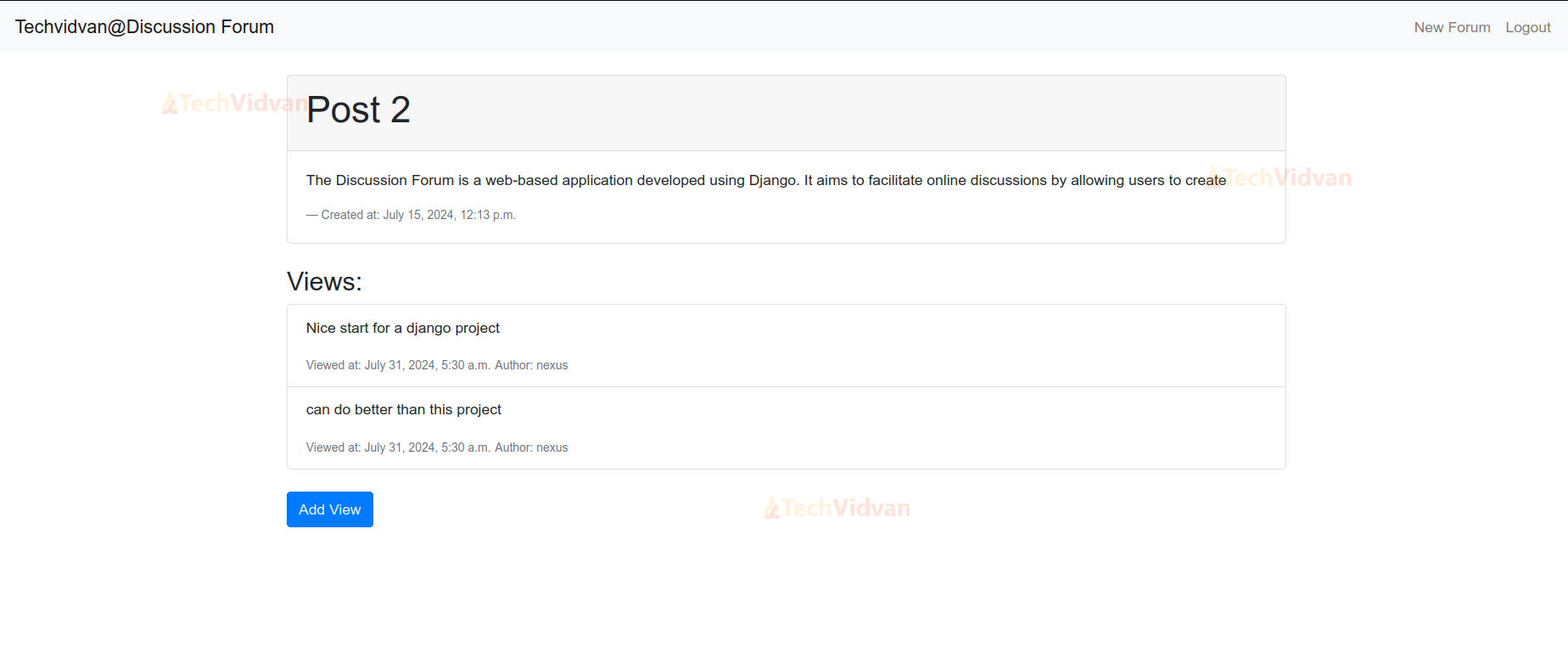
- This template extends the base.html layout and defines the content block.
- The if comments block checks for any comments to display. If comments exist, they are rendered in a list; otherwise, this section is not shown.
- The comment loop iterates over each comment and renders its text.
- A form for adding new comments is provided at the end of the content block. The form includes CSRF protection and renders the comment form fields with a submit
{% extends 'forum/base.html' %}


{% block content %}
 <div class="container mt-4">
   <div class="card">
     <div class="card-header">
       <h1>{{ post.name }}</h1>
     </div>
     <div class="card-body">
       <p class="card-text">{{ post.body }}</p>
       <footer class="blockquote-footer">Created at: {{ post.created_at }}</footer>
     </div>
   </div>


   {% if views %}
     <div class="mt-4">
       <h3>Views:</h3>
       <div class="list-group">
         {% for view in views %}
           <div class="list-group-item">
             <p>{{ view.text }}</p>
             <small class="text-muted">Viewed at: {{ view.created_at }}</small>
             <small class="text-muted">Author: {{ view.author.username }}</small>
           </div>
         {% endfor %}
       </div>
     </div>
   {% endif %}


   <div class="mt-4">
     <button class="btn btn-primary" id="addViewBtn">Add View</button>
   </div>


   <div id="viewForm" class="mt-4" style="display: none;">
     <h3>Add a View:</h3>
     <form method="post" action="{% url 'post_detail' post_id=post.id %}">
       {% csrf_token %}
       <div class="form-group">
         <label for="id_text">Text:</label>
         <textarea id="id_text" name="text" class="form-control">{{ form.text.value }}</textarea>
       </div>
       <button type="submit" class="btn btn-primary">Submit</button>
     </form>
   </div>
 </div>


 <script>
   document.getElementById('addViewBtn').addEventListener('click', function() {
     var form = document.getElementById('viewForm');
     if (form.style.display === 'none') {
       form.style.display = 'block';
     } else {
       form.style.display = 'none';
     }
   });
 </script>
{% endblock %}
new_post.html:-
- This template extends base.html by using its structure and styles to define the content block.
- The {% load crispy_forms_tags %} tag enables the use of crispy forms in this template. This is used for enhanced form rendering using the crispy filter.
- The form for creating a new post is rendered with CSRF protection and crispy form styling. The {{ form|crispy }} line ensures the form fields are styled according to crispy forms settings.
- A Back to Posts button is provided at the end of the form for easy navigation. This button links back to the post list view.
{% extends 'forum/base.html' %}


{% load crispy_forms_tags %}


{% block title %}New Post{% endblock %}


{% block content %}
<h1 class="my-4">New Post</h1>
<form method="post" class="needs-validation" novalidate>
   {% csrf_token %}
   {{ form|crispy }}
   <button type="submit" class="btn btn-primary">Save Post</button>
</form>
<a href="{% url 'post_list' %}" class="btn btn-secondary mt-3">Back to Posts</a>
{% endblock %}
login.html:-
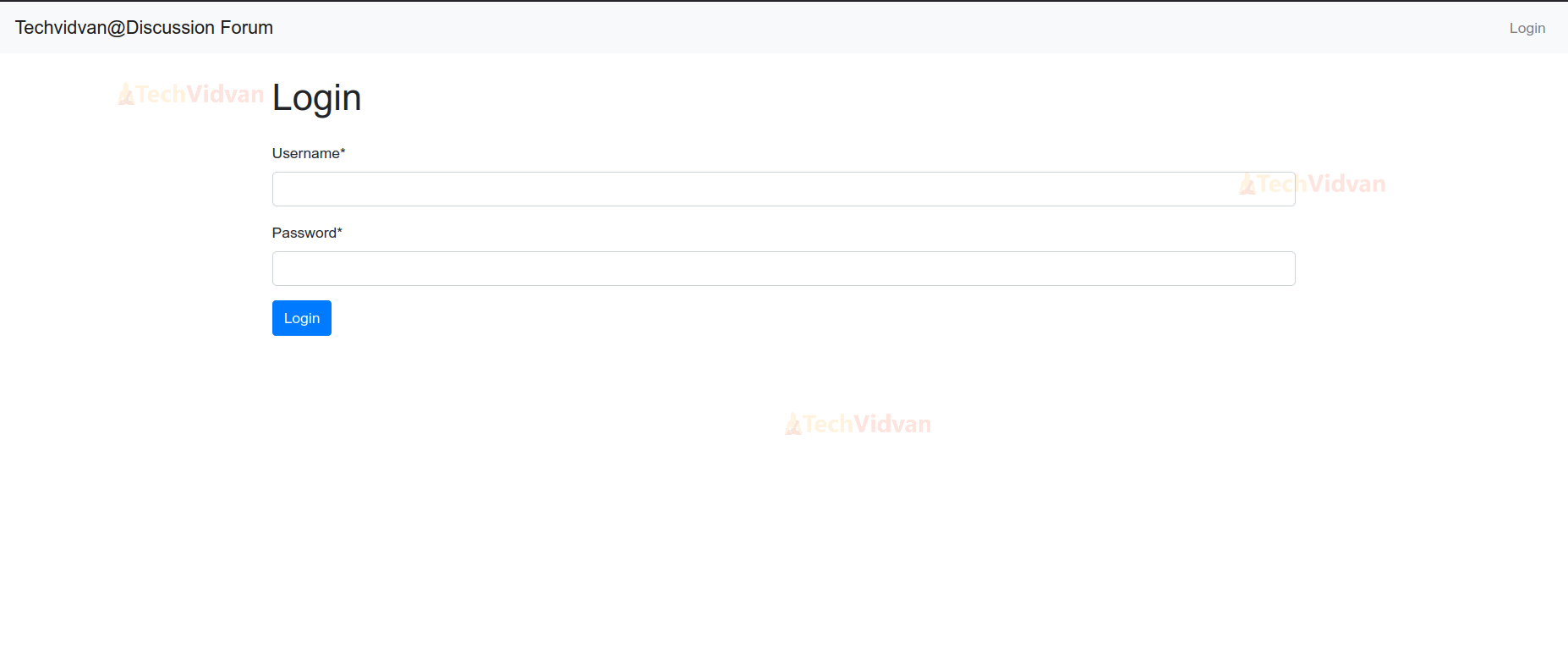
- This template extends base.html, leveraging its structure and styles for consistency.
- The {% load crispy_forms_tags %} tag loads crispy forms tags to enable enhanced form rendering.
- The login form is rendered with CSRF protection and crispy form styling.
- A Login button is provided to submit the form. This button allows users to submit their login credentials.
{% extends 'forum/base.html' %}


{% load crispy_forms_tags %}


{% block title %}Login{% endblock %}


{% block content %}
<h1 class="my-4">Login</h1>
<form method="post" class="needs-validation" novalidate>
   {% csrf_token %}
   {{ form|crispy }}
   <button type="submit" class="btn btn-primary">Login</button>
</form>
{% endblock %}
Python Django Discussion Forum Output
1. Application Interface

2. Login Form
3. New Forum

4. Add Views
5. Logout
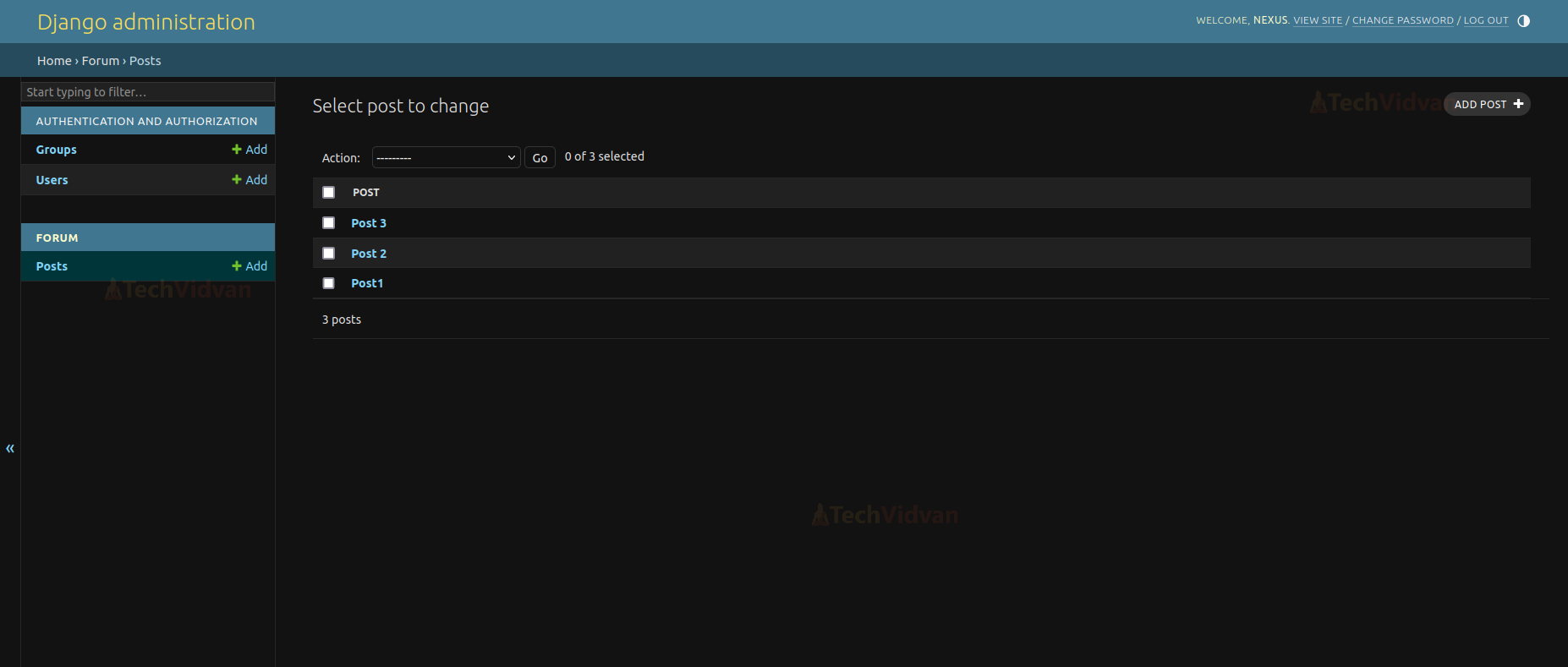
6. Administrative Page
7. Views Section Page
Conclusion
The Discussion Forum project is showing the capabilities of Django for building robust web applications. It enhances user engagement by providing a platform for online discussions. The project can be further extended with features like user profiles, notifications, and post categorisation for improved usability.